
Free · open source · macOS, Windows, Linux
All your coding agents.
One calm workspace.
AlmaStudio puts Claude Code, Codex, OpenCode and your shells side by side, project by project, with git, files and diffs one click away. Step away from the desk and the companion app keeps you in the loop.
- Claude Codeapiworking
- Codexwebwaiting for you
- OpenCodedocsidle
- Terminalinfraidle
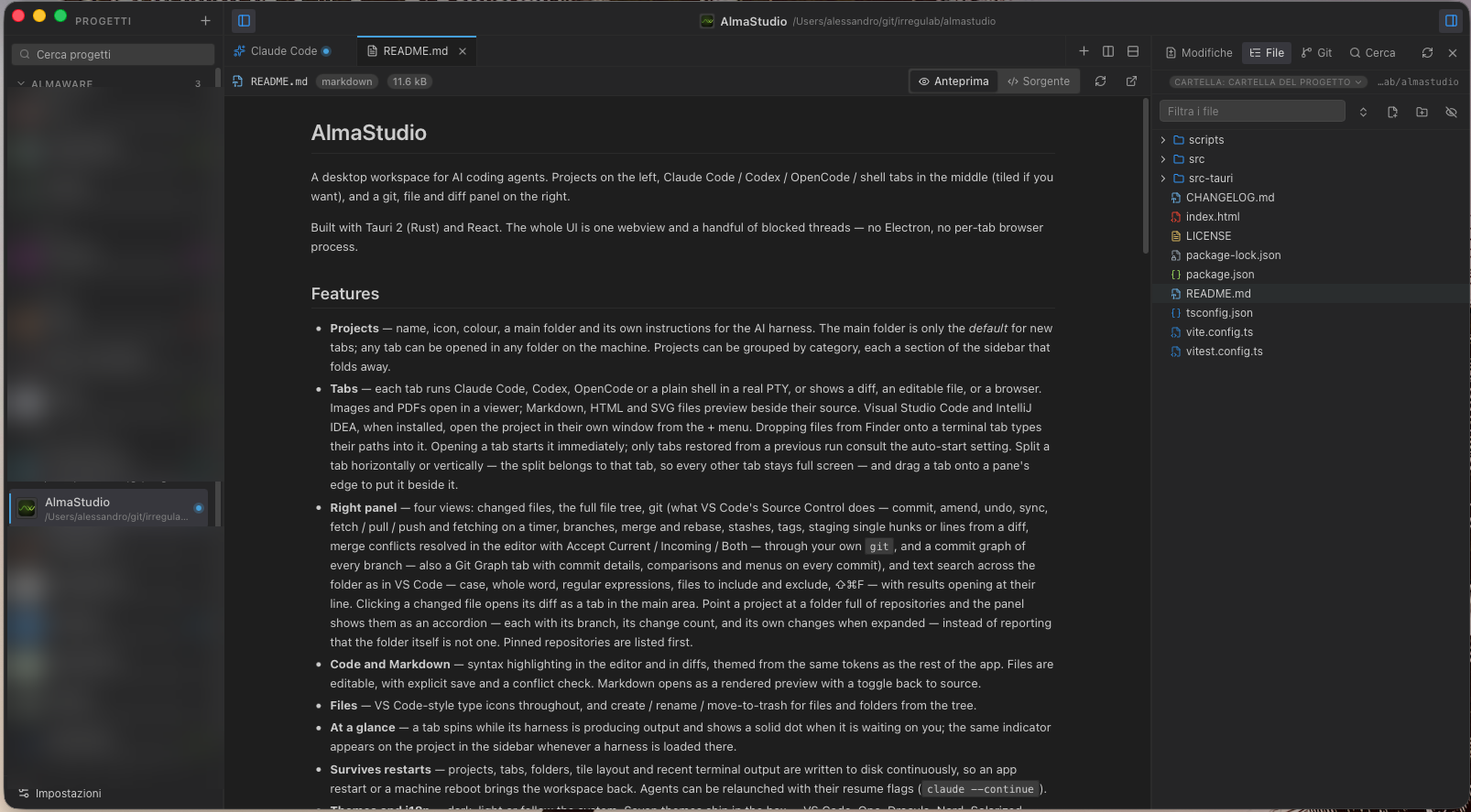
The desktop app
Built for the way agents actually work: many at once.
A Tauri app in Rust and React. One webview for the whole interface, no Electron, no browser process per tab.
- 01
Projects, not windows
Each project has a name, a colour, a main folder and its own instructions for the agent. Group them by category and fold away what you are not working on.
- 02
Any agent, in a real terminal
Tabs run Claude Code, Codex, OpenCode or a plain shell in a real PTY. Split a tab, or drag one beside another. Diffs, files and a browser open as tabs too.
- 03
Know who needs you
A tab spins while its agent is working and shows a solid dot when it is waiting on you. The same signal shows on the project in the sidebar.
- 04
Git, the way VS Code does it
Commit, amend, stage single hunks or lines, branches, merge and rebase, stashes, tags, conflicts resolved in the editor, and a commit graph of every branch.
- 05
Review before you merge
Go through uncommitted changes like a pull request, comment on lines, then send the whole review back to the agent to fix.
- 06
Picks up where you left off
Projects, tabs, layout and recent terminal output are saved as you go, so a restart or a reboot brings the workspace back.
The companion app · iPhone, iPad, Android
Your agents don’t stop when you leave the desk.
Watch any tab and type into it, open new agents, browse files and git, and get a notification when an agent finishes or needs an answer. Everything still runs on your computer, end-to-end encrypted.
Get AlmaStudio
Download it, read it, change it.
Signed builds for macOS (Apple silicon and Intel), Windows and Linux are on GitHub, with automatic updates. The whole source is there too, under the MIT license.
Source, releases and issues: github.com/Irregulab/almastudio